Paxton Integration

Paxton Net2 & Paxton10
connected to ANPR.

Revtek integrates directly with your Paxton access control system. The ANPR camera recognises the plate on arrival — Paxton automatically opens the barrier or gate. No manual steps, no codes, no badges.

Paxton
Net2 & Paxton10
Revtek
ANPR + Management
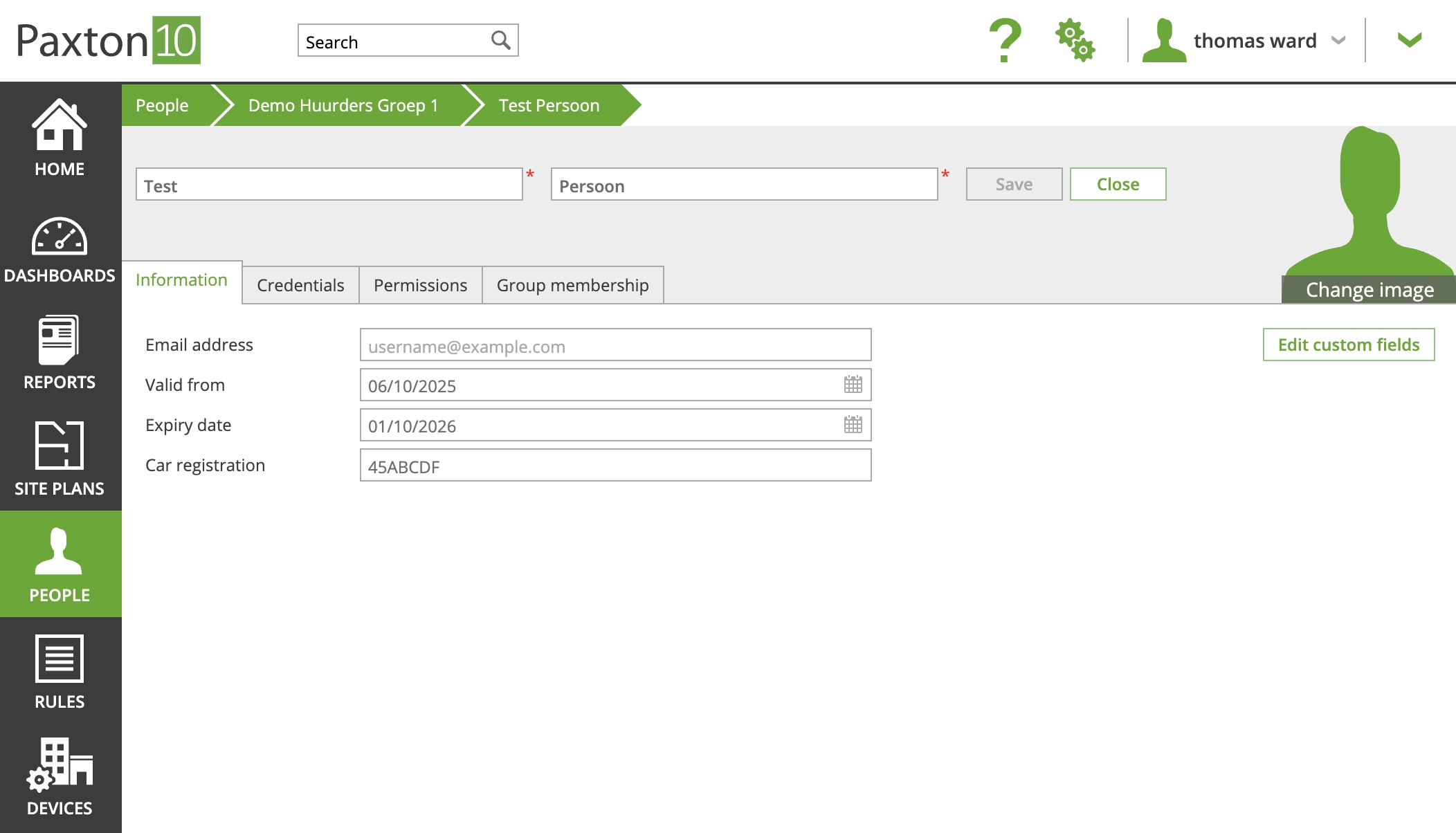
Paxton10 access control system connected to Revtek ANPR

How does the Paxton integration work?

Three steps from arrival to open barrier — fully automatic.

1. ANPR reads the plate

On arrival the ANPR camera reads the vehicle's plate. Works with cameras from Axis, Hikvision, Bosch, Hanwha and Dahua.

2. Revtek checks access

Revtek compares the plate in real time against the database of residents, tenants, visitors and reservations. Unknown vehicles are automatically denied.

3. Paxton opens the barrier

On approval Revtek sends a signal to Paxton Net2 or Paxton10. The barrier, gate or door opens immediately — no pass, no code, no human intervention.

Everything in one platform

Integration with Paxton Net2 & Paxton10
Direct connection to your existing Paxton system. No replacement of hardware needed.
ANPR with all common camera brands
Axis, Hikvision, Bosch, Hanwha, Dahua — ONVIF-compatible cameras are supported.
Visitor registration & temporary access
Register visitors via link, QR code or WhatsApp. Time limit per visitor configurable.
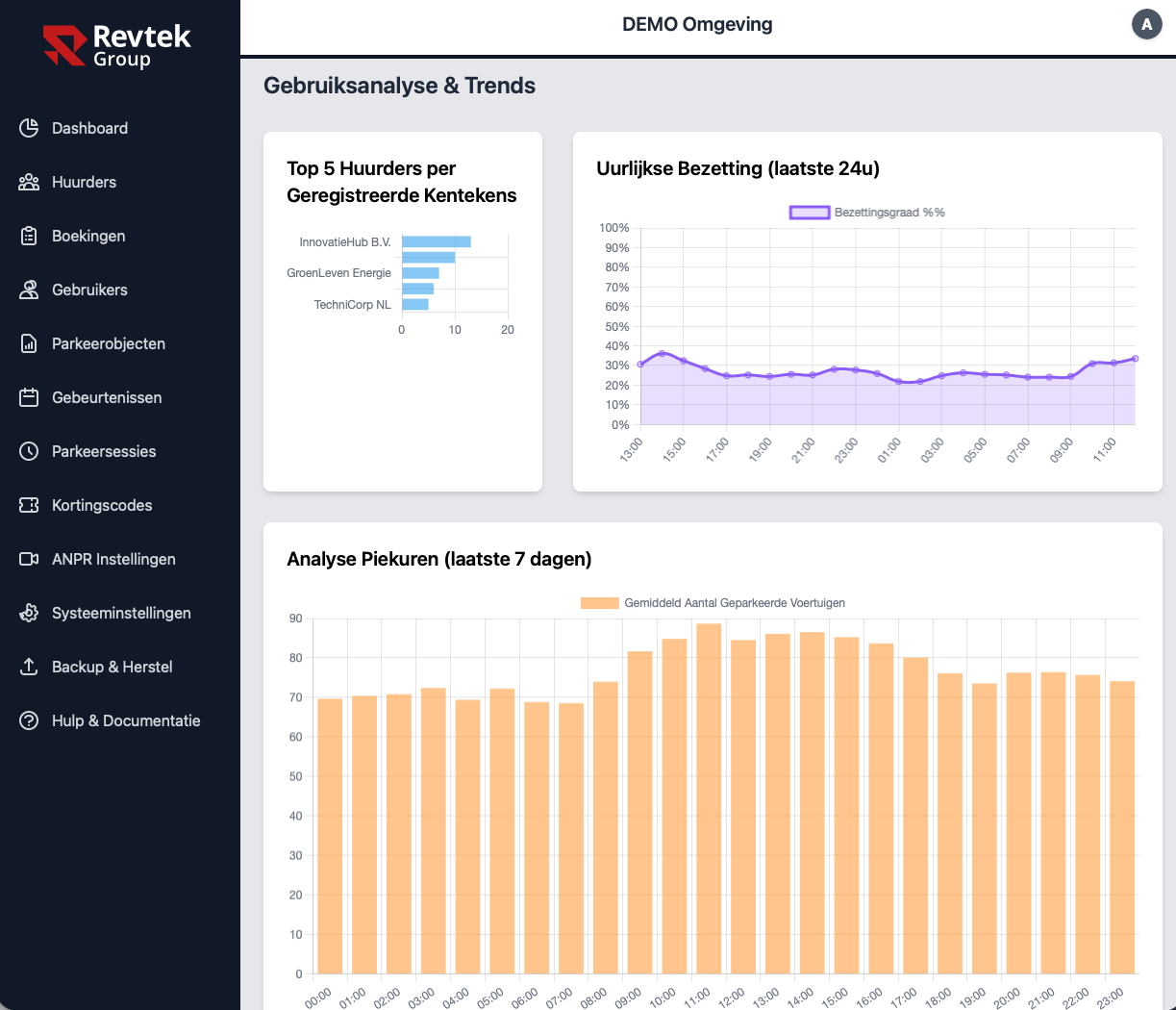
Real-time dashboard & reports
Overview of all parking activity, occupancy rate and access history in one dashboard.
Blocklist & capacity management
Block specific plates permanently. Set maximum occupancy per zone.
Push notifications & alerts
Notifications for denied vehicles, full car park or system errors.
Smart credentials for building access
Give visitors temporary Paxton access rights for the building — directly from the Revtek dashboard, without manual steps in Paxton itself.
Recognises plates even when hard to read
Poor lighting, rain or a dirty plate — the system still identifies the vehicle.
Visitor registers own plate via link
Send your visitor a personal link. They register their own plate — you don't need to do anything. Access is created automatically.
Revtek parking management dashboard connected to Paxton access control

Parking manager also grants building access

In addition to parking, the manager can now issue temporary Paxton credentials to visitors — directly from the Revtek dashboard. The visitor receives a digital access pass and can enter the building independently, without anyone needing to go to the door.

Manager registers the visitor
Name, email address and time window entered in the Revtek dashboard.
Revtek automatically creates a Paxton credential
A temporary digital access pass is created in Paxton Net2 or Paxton10 — valid for the specified time window.
Visitor receives the pass and enters independently
The credential is sent via email or WhatsApp. Visitor scans at the door — no reception, no waiting.
No manual Paxton steps Automatically expires after time window Delivered via email or WhatsApp

Paxton Net2 and Paxton10

Revtek works with both generations of Paxton access control.

Paxton Net2

The proven standard for access control in offices, residential complexes and car parks. Revtek connects directly for direct barrier control.

  • Direct connection to your Net2 installation
  • Existing installation remains intact
  • Barriers, gates and turnstiles
Paxton10

The cloud-based system from Paxton, suitable for modern buildings with multiple sites. Revtek connects directly to your Paxton10 environment.

  • Direct connection to your Paxton10 environment
  • Multi-site support
  • Suitable for new builds and renovations

Also Salto KS, Nedap AEOS, Genetec or KISI? Get in touch — we support multiple systems.

Modernising an existing Net2 installation

Many car parks and office buildings run on a Paxton Net2 installation that is ten years old or more. The controllers still work, some of the readers are worn, and the manager wants to add licence plate recognition and visitor registration via WhatsApp without replacing the whole system.

Revtek connects to the installation as it stands, even if another installer put it in. During the site survey we assess what is due for replacement and do it in the same visit as the camera installation. A modernisation is often completed in a single working day and costs considerably less than a new access control system.

Request a site survey
What stays

Your Net2 controllers, door contacts, cabling and the existing user database. The installation stays in service while the work is done.

What we replace

Only what has reached the end of its life: a worn reader, a weak power supply, a run of cabling. You do not pay for parts that will last for years.

What gets added

ANPR cameras at the entry and exit, visitor registration via WhatsApp, the Revtek dashboard with live occupancy and event log, and optionally paid parking via Mollie.

Suitable for any type of location

Frequently asked questions

Yes. Revtek supports both Paxton Net2 and Paxton10 with a direct connection, without replacing your existing Paxton installation.

No. Revtek connects to your existing Paxton system. You keep your current hardware and configuration — Revtek adds the ANPR layer and parking management dashboard on top.

A standard Paxton Net2 or Paxton10 integration is typically live within one day. We configure the connection, test the barrier control and set up the ANPR cameras.

Yes. Via smart credentials the parking manager can create temporary Paxton access rights for visitors — directly from the Revtek dashboard. The visitor receives a digital pass via email or WhatsApp and can enter the building independently for the specified time window. The credential expires automatically afterwards.

Yes. In addition to Paxton, Revtek also supports Salto KS, Nedap AEOS, Genetec, KISI and other systems with an open API. Contact us for your specific situation.

Yes. Revtek connects directly to Paxton Net2 and Paxton10, regardless of who installed the system. If you wish, we also take over maintenance of the existing installation, so access control, cameras and software all sit with one supplier.


Ready to connect Paxton to ANPR?

Book a free demo and see how Revtek extends your Paxton installation with licence plate recognition.

Or email info@revtek.nl