For Offices & Business Parks

Employees, VIPs and visitors. One system.

Revtek connects to your Paxton Net2, Paxton10 or Salto KS system and automatically manages who may park and who may not. No duplicate administration.

Book a demo
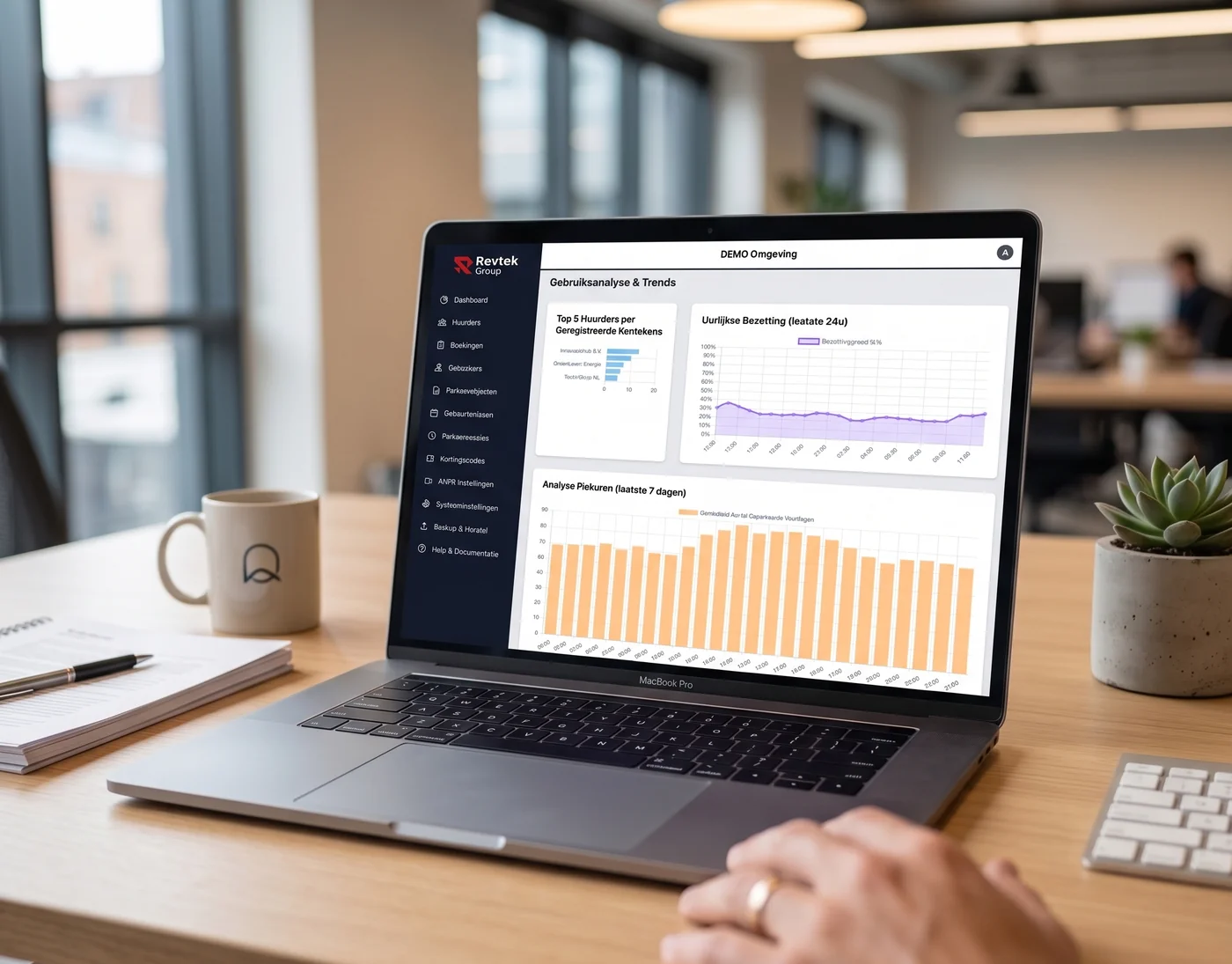
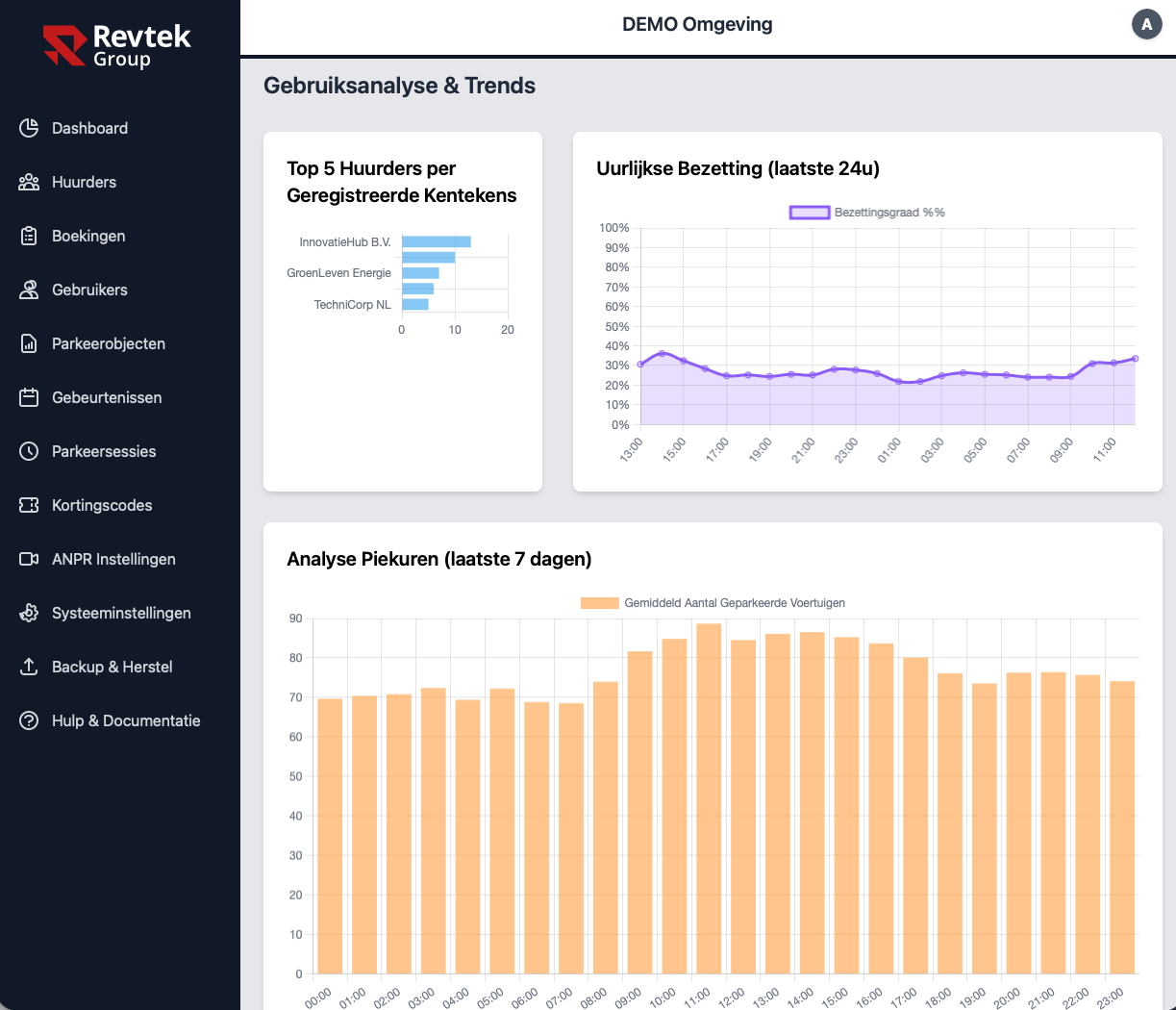
Revtek office management dashboard

Sound familiar?

Car park full, visitors left outside

Employees take all the spots. Clients and visitors drive around or park elsewhere.

Duplicate admin in access control and parking

New employee? Update access control AND parking system separately. Error-prone and time-consuming.

VIP spots not guaranteed

Management and guests find their spot taken by an employee who didn't know better.

How Revtek solves it

Direct access control integration

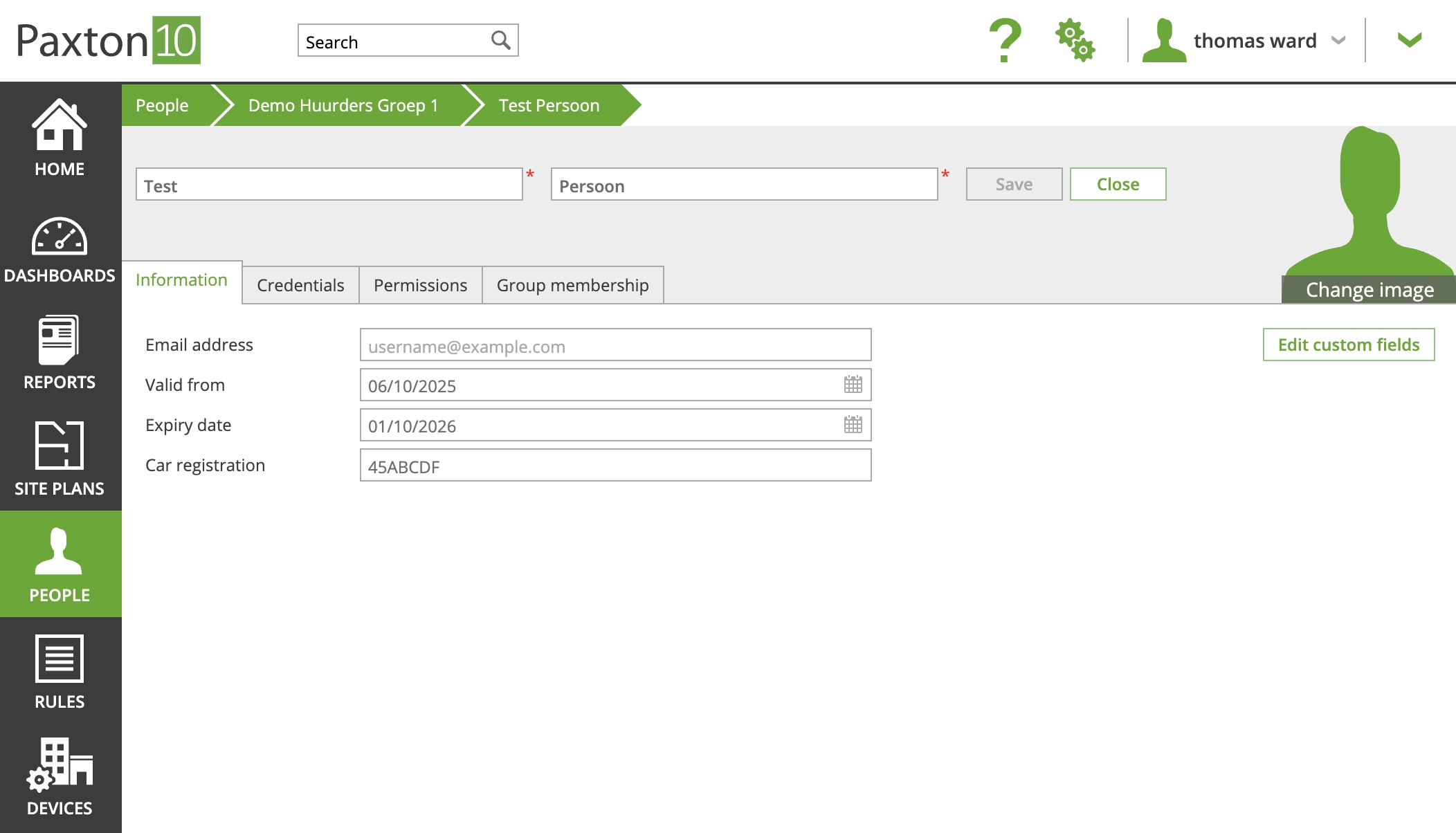
Revtek syncs employees and plates automatically from Paxton or Salto. Register once, sorted everywhere.

VIP parking guaranteed

Directors have a guaranteed spot. Revtek keeps VIP spaces clear and redirects regular employees to standard spaces automatically.

Visitors via invitation link

Reception or employee sends a link. Visitor enters their plate and parks without a desk or manual registration.

Capacity management by type

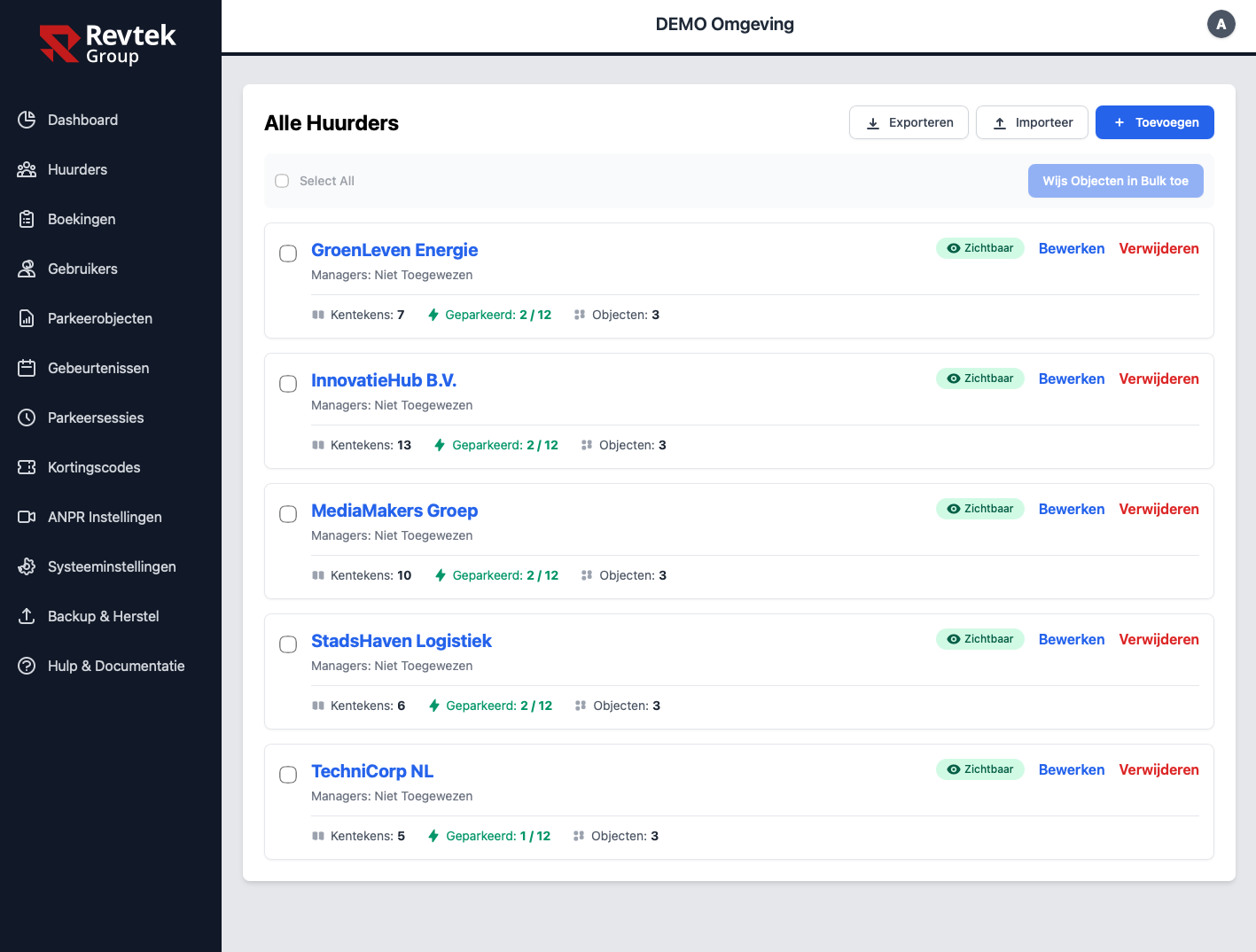
Maximum spots per department, tenant or visitor type. Always visibility into occupancy.

What's included?
  • Employee parking on fixed plates
  • VIP parking with priority
  • Visitors register their own plate via a registration link
  • Capacity management per department or tenant
  • Real-time occupancy dashboard
  • Integration with your access system — Paxton, Salto, Nedap AEOS and more

Everything in one
overview

The Revtek dashboard gives real-time insight into occupancy, access events and parking sessions. Accessible from anywhere, always up to date.

  • Real-time occupancy and capacity
  • Full event log
  • Reports exportable by period
Revtek dashboard in use
Paxton

Register once,
sorted everywhere

Revtek syncs employees and plates directly from Paxton Net2, Paxton10 or Salto KS. Add someone in your access system — parking access follows automatically. No duplicate administration.

  • Bidirectional sync
  • Plate linked to person in your access system
  • Works with Paxton Net2, Paxton10 and Salto KS
Paxton10 integration with Revtek

Capacity per tenant,
fully in control

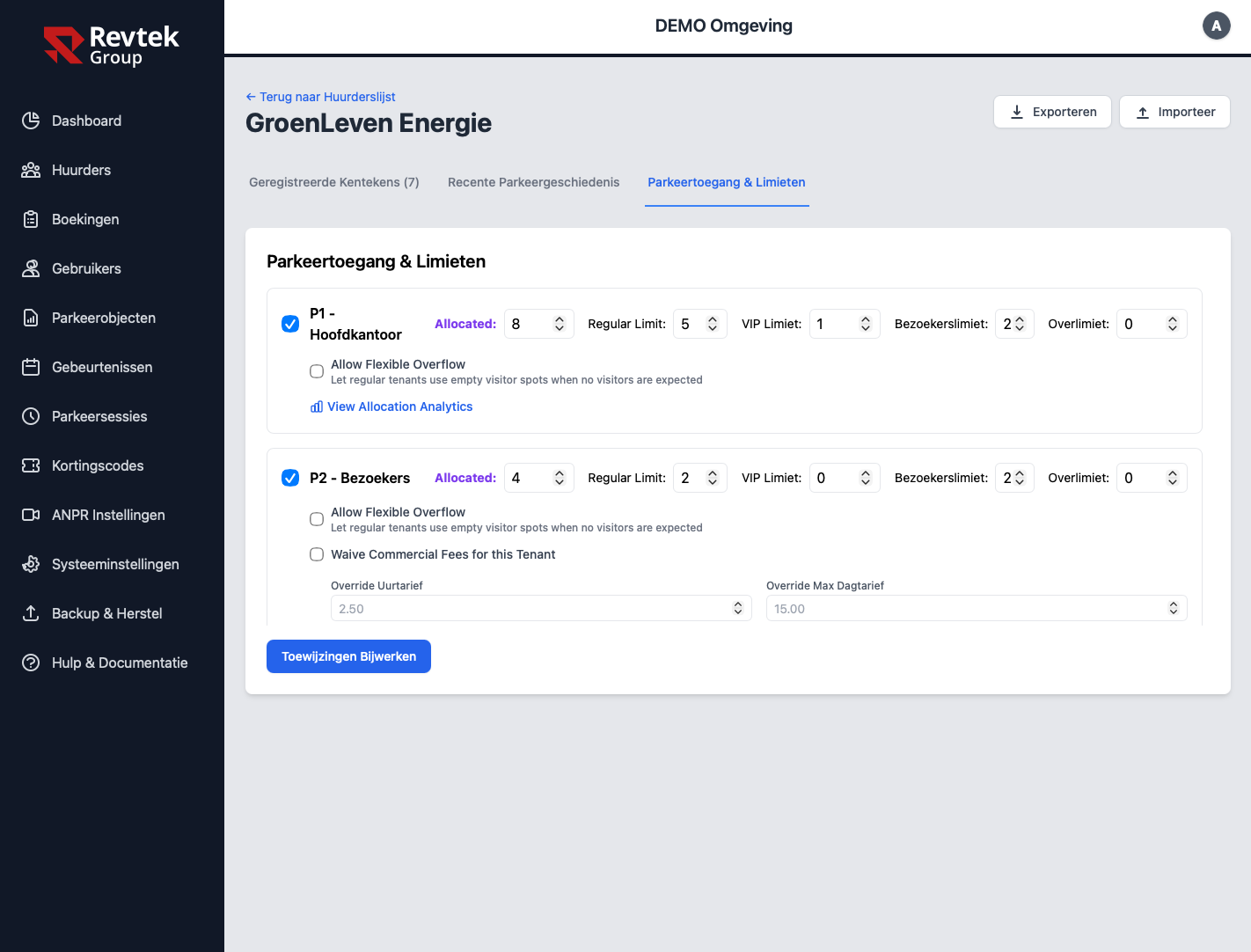
Set the maximum number of parking spaces per tenant or department — regular, VIP and visitors separately. Revtek enforces limits automatically and prevents over-occupancy.

  • Capacity limit per tenant or department
  • Release unused spaces to other tenants and visitors
  • Role-based access per manager
  • Rate override per tenant possible
Multi-tenant management
Parking access and limits per tenant
Already have Paxton Net2, Paxton10 or Salto KS?

Revtek connects directly to your existing installation. No replacement needed — just a smart extension for parking management.

Supplier or visitor?
One WhatsApp message sorts it.

Facilities staff or receptionists send the supplier or visitor's plate to the Revtek parking bot. Access is immediately active — no portal login, no extra steps.

  • Ideal for suppliers, engineers and unannounced visitors
  • Time-limited access: revoked automatically after the appointment
  • Grant access from any location — even away from the office
  • Full log: who granted access, when, to which plate
Revtek Parking Bot
Engineer from Cooltech this afternoon 13:00–16:00: KL-789-MN
✅ Access created for KL-789-MN.
Valid today 13:00–16:00. Access expires automatically after that.
👍

Faults, questions and parcels
through the same chat

Alongside parking and access, the assistant handles the daily traffic between tenants and management. It all runs over WhatsApp, so tenants never have to learn a portal or an app.

  • Fault reports with a photo and a location, with the status coming back in the same conversation
  • The engineer gets a temporary link to accept the job and close it off
  • Questions about opening hours, WiFi or house rules are answered from your building's knowledge base
  • Parcel at reception? A photo of the label is enough, and the recipient gets a message
  • Meeting rooms can be booked, with double bookings blocked by the system itself
See the building management platform
Revtek Building Assistant
The tap in the 4th floor pantry is leaking
photo-pantry.jpg
Report #2184 is open with technical management. You will get a message as soon as the engineer is on the way.
The engineer has accepted the job and will come tomorrow between 09:00 and 11:00.

Frequently asked questions

Yes. Revtek integrates directly with Paxton Net2, Paxton10 and Salto KS. Employees and plates are synced automatically — register once, sorted everywhere.

Set a maximum number of spaces per tenant or department — regular, VIP and visitors separately. Revtek enforces limits automatically and prevents over-occupancy.

Yes. Employees or reception send a digital invitation link. The visitor enters their plate — the barrier opens automatically. No pass, no app, no desk.

Tenants can release spaces they don’t need into a shared pool, for example on days when most of their staff work from home. Another tenant or a visitor claims a released space, and the barrier then opens for that plate. The visitor quotas you set per tenant still apply. Space sharing is included in the Professional plan.

More solutions

Parking problems to solve?

Book a free demo and see how Revtek works for your situation.

Or email info@revtek.nl